Automatically creating select options

Introduction
When you map a single-select or multi-select field, Byteline matches values by option name. Options with the same name sync on their own. If the source has a value the target field does not have, Byteline can add that option to the target field and then write the value.
This is on by default for mappings whose target app can add select options. You can turn it off from Map options on the field mapping.
How it works
- Byteline looks up the source value against the target field’s options (by name, or by a pair you set under Map options).
- If there is no matching option and auto-creation is on, Byteline adds the option to the target field and writes the record.
- If auto-creation is off — or the target app cannot add options — the value is skipped and a sync issue is raised. From that issue you can add the option yourself and retry the affected records, or map the value to an option that already exists.
For a multi-select field, each value is handled on its own. Values that already have an option are written; only the missing ones are created (or reported).
A sync preview does not add options. Options are added only when the sync actually writes.
Mapping options with different names
Use Map options when the two sides use different labels for the same choice — for example, Active → Open.
- Open the sync and go to field mapping.
- On a select or multi-select mapping, click Map options.
- Pair a left option with a right option. Add more rows as needed.
- Click Apply mapping.
Options with matching names do not need a row. Add a mapping only when the names differ.
Turning auto-creation off
Use this when you do not want Byteline to add options to the target app — for example, a Status field whose list should stay fixed.
- Open Map options on the field mapping.
- Turn off Automatically create missing options.
- Click Apply mapping.
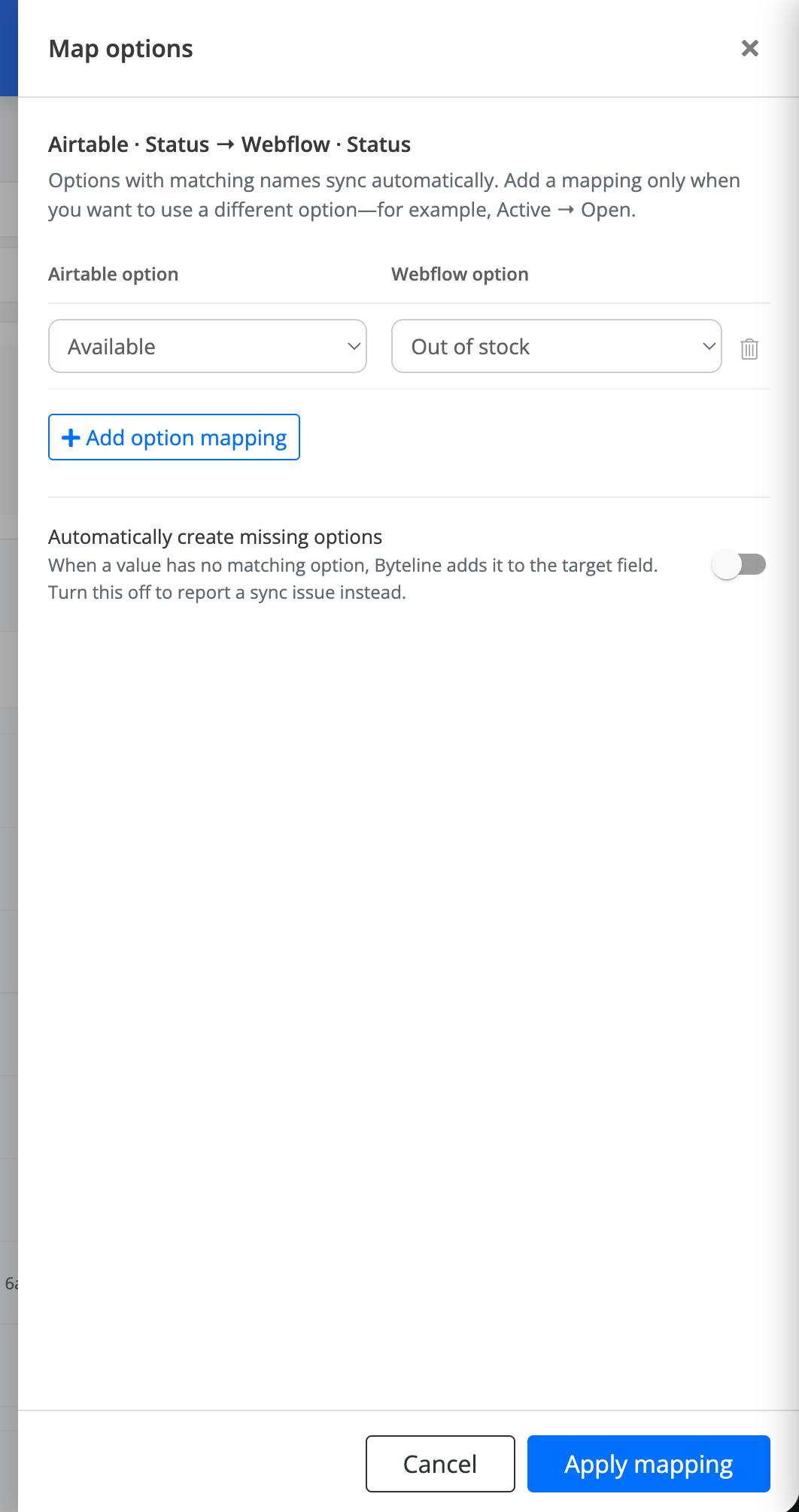
The mapping link then reads Options not auto-created. Missing values raise a sync issue instead of adding an option.
Turn the toggle back on to restore automatic creation. The toggle appears only when at least one write-target app for that mapping can add select options.
When a sync issue is still created
A sync issue is created when:
- Automatically create missing options is off for that mapping.
- The target app cannot add options (the toggle is hidden).
- Byteline could not add the option (for example, the app rejected the create).
From the issue you can add the option and retry, map the value to an existing option, or ignore the records
