Use case
Relevant apps:
How to Sync Supabase to Google Sheets Automatically
Supabase is a powerful backend for building modern apps. It gives you a Postgres database, APIs, authentication, and the flexibility developers need to move fast. But once your app starts collecting real data — leads, signups, orders, support requests, customer records, or internal submissions — that data often needs to be used by people who do not live inside Supabase every day.
Sales teams may want leads in a spreadsheet. Marketing may want to review signups. Operations may need to update statuses, add notes, or share data with other team members. And for many teams, that still means one thing: Google Sheets.
In this article, we’ll look at how to sync Supabase to Google Sheets using Byteline. We’ll cover why this is useful, how it applies to Lovable-built apps, how it helps general Supabase users, and why a real sync is better than repeatedly exporting CSV files or writing custom scripts.
The Problem: App Data Is Trapped in Supabase
Supabase is a great place to store structured app data, but it is not always the best place for every team member to work with that data.
A developer may be comfortable opening Supabase, looking at database tables, checking rows, and updating values. But a sales, marketing, support, or operations person may not want direct database access. Even if they can technically view the data, it may not fit the way they work.
That is when teams start creating workarounds.
Someone exports data from Supabase to a CSV file. Someone else uploads it to Google Sheets. A few days later, the data is already outdated. Then the same process happens again. Over time, people are unsure which version is current: the Supabase table, the spreadsheet, the exported CSV, or someone’s manually edited copy.
This creates a common problem:
Your app data lives in Supabase, but your team works in Google Sheets.
That gap leads to duplicate work, stale data, and unnecessary developer involvement. Instead of focusing on the product, someone has to keep moving data around manually.
Use Case 1: Sync Lovable App Leads from Supabase to Google Sheets
Lovable has made it much easier for founders, startups, and builders to create apps quickly. Many Lovable apps use Supabase as the backend, which means form submissions, users, leads, and app records are often stored directly in Supabase.
That works well for the app. But what happens when the business team wants to follow up with those leads?
Let’s say you built a lead capture app, waitlist, SaaS MVP, marketplace, or internal tool with Lovable and Supabase. Every time a user submits a form, a new record is added to a Supabase table. The table may include fields like name, email, company, use case, plan interest, status, and notes.
Your team may want to manage those leads in Google Sheets because it is easier to share, sort, filter, and update. A salesperson can change a lead from New to Contacted. A founder can add notes after a call. A marketing team member can filter leads by source or plan interest.
With Byteline, you can export Lovable Supabase data to Google Sheets automatically by syncing the underlying Supabase table with a Google Sheet. The important point is that Byteline connects to Supabase, not directly to Lovable. So the workflow looks like this:
Lovable app → Supabase database → Byteline → Google Sheets
This gives you a practical, no-code way to make Lovable app data available to the rest of the team without asking anyone to manually export CSV files or build a custom integration.
Use Case 2: Sync General Supabase Data to Google Sheets
This is not limited to Lovable apps. Any app using Supabase can benefit from syncing data to Google Sheets.
For example, a SaaS app may store trial users in Supabase. A marketplace may store vendor applications. A customer portal may store onboarding requests. A booking app may store appointments. A product team may store feedback submissions. In each case, Supabase is the source of truth, but Google Sheets may be where the business team wants to review, organize, and act on that data.
A no-code Supabase Google Sheets integration is especially useful when the data needs to be visible outside the engineering team. Instead of giving database access to non-technical users, you can sync selected Supabase data into a spreadsheet they already understand.
This makes Google Sheets a working layer for business users, while Supabase remains the backend system powering the app.
Why Google Sheets Still Matters for Supabase Data
Google Sheets is not replacing Supabase. It solves a different problem.
Supabase is where your app data is stored and managed from a backend perspective. Google Sheets is where many teams collaborate, review information, and make quick updates. That is why even technical companies still rely on spreadsheets for day-to-day workflows.
Google Sheets is useful because it is familiar. People know how to filter rows, sort data, add notes, highlight records, and share a sheet with teammates. It is also flexible. A team can start with a simple lead tracker and later add columns for owner, priority, follow-up date, or call notes.
For Supabase users, this creates a helpful pattern:
Keep Supabase as the app database, but give your team a Google Sheets workspace for the data they need to manage.
That is where syncing becomes valuable. Instead of treating Google Sheets as a one-time export, you can keep it connected to Supabase as the data changes.
How Byteline Helps
Byteline helps you automatically sync Supabase data to Google Sheets without writing scripts or building a custom integration.
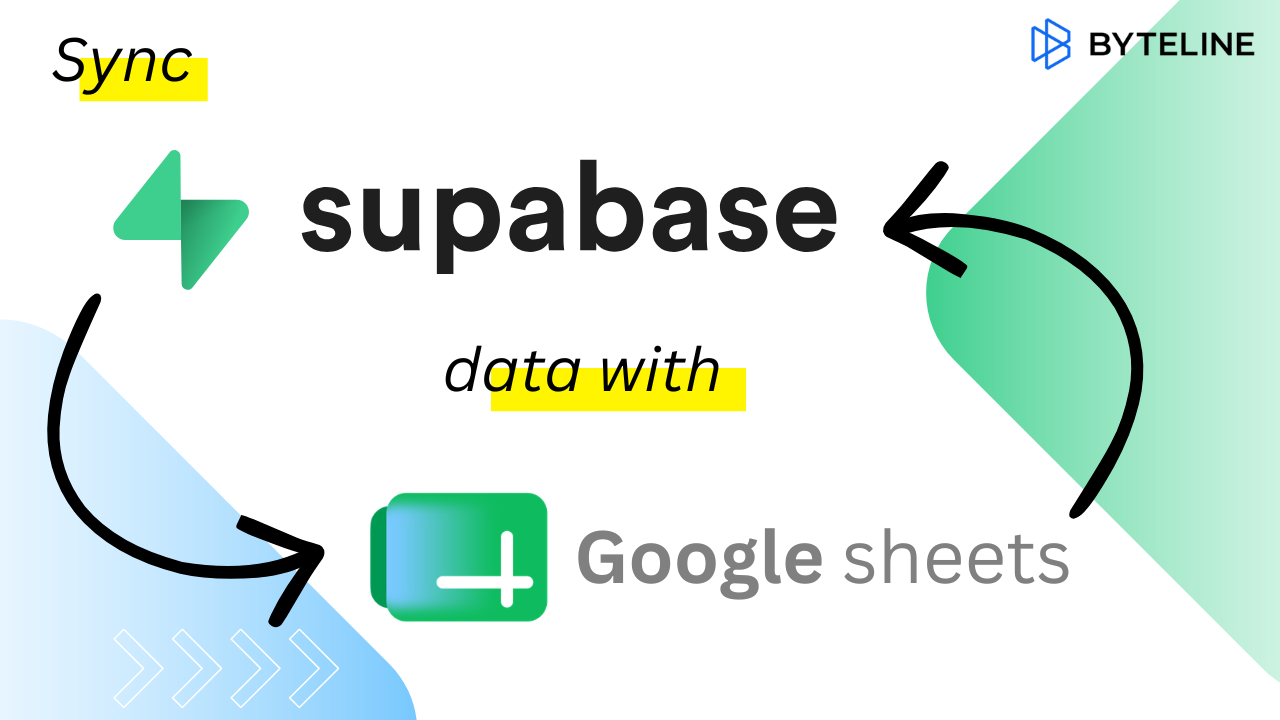
You can connect your Supabase table, connect your Google Sheet, map the fields, and decide how the data should sync. For example, you may want a one-way sync from Supabase to Google Sheets, where the spreadsheet is mainly used for visibility and reporting. Or you may want a two-way sync Supabase and Google Sheets setup, where updates made in Google Sheets can sync back to Supabase.
That two-way workflow is especially useful for lead management. A new lead may come from your app into Supabase, then appear in Google Sheets. Your sales team can update the status in Google Sheets from New to Contacted, add notes, and have those updates reflected back in Supabase.
Byteline can also help with existing data. If both Supabase and Google Sheets already have records, Byteline can match them using a reliable unique field, such as email, and keep the records aligned instead of creating duplicates.
For detailed setup instructions, you can visit Byteline’s docs here:
https://www.byteline.io/docs/article/673ed5xyrw-supabase-data-sync
Example Workflow
Imagine you have a Supabase table called leads. It stores leads collected from your app. The table includes fields like name, email, company, use case, plan interest, status, and notes.
Your business team has a Google Sheet where they track follow-ups. They do not want to open Supabase every time they need to review a lead or update a status. They just want to work from the spreadsheet.
With Byteline, the workflow becomes simple. A new lead is added in Supabase. Byteline syncs that lead into Google Sheets. A team member opens the sheet, updates the status from New to Contacted, and adds a note. Byteline then syncs that update back to Supabase.
The result is a clean connection between the app database and the team’s working spreadsheet. Supabase stays up to date, and the team gets to work in the tool they already use.
Benefits of Syncing Supabase with Google Sheets
Syncing Supabase with Google Sheets is not just about moving rows from one place to another. It helps teams work faster and avoid unnecessary manual effort.
Some of the biggest benefits include:
- Avoid manual CSV exports from Supabase every time the team needs updated data.
- Give non-technical users access to app data without giving them database permissions.
- Keep Supabase and Google Sheets aligned as records are created or updated.
- Let teams update statuses and notes from Google Sheets.
- Reduce duplicate data entry between your app backend and spreadsheets.
- Avoid custom scripts that need to be written, monitored, and maintained.
- Make reporting easier by keeping fresh app data available in Google Sheets.
For early-stage teams, this can save a lot of time. Instead of building an internal admin panel immediately, you can let the team manage certain workflows from Google Sheets while Supabase continues to power the app.
Common Scenarios Where This Helps
A Supabase to Google Sheets sync can be useful in many real-world situations.
For example, you may want to sync:
- App leads
- Waitlist signups
- Demo requests
- Customer onboarding records
- Support requests
- Marketplace submissions
- Partner applications
- Event registrations
- User feedback
- Internal approval queues
- Trial users
- Product interest forms
The pattern is usually the same. Supabase stores the app data, but someone on the team needs a simple way to review or update that data. Google Sheets becomes the business-friendly workspace, and Byteline keeps both sides in sync.
Why Use a Sync Instead of CSV Exports or Scripts?
CSV exports are fine for a one-time data pull. But they are not a good long-term workflow.
The moment you export a CSV from Supabase, that file starts becoming outdated. If a new lead comes in five minutes later, it will not be in the spreadsheet. If someone updates the spreadsheet, that change will not automatically go back to Supabase. You end up with two disconnected copies of the same data.
Custom scripts can solve some of this, but they create their own maintenance burden. Someone has to write the script, handle errors, schedule it, update it when fields change, and fix it when something breaks. For many teams, that is not the best use of engineering time.
A sync is different. It is designed to keep systems aligned over time. Byteline is useful because it focuses on ongoing data synchronization, not just one-time exports.
So instead of asking, “How do I export this data again?” your team can ask, “Where should this data live and who needs to work with it?” Byteline handles the movement between Supabase and Google Sheets.
Who This Is For
This use case is a good fit for anyone building with Supabase who also needs business users to work with the data.
It is especially useful for:
- Supabase users
- Lovable app builders
- SaaS founders
- No-code and low-code builders
- Startup teams
- Agencies building apps for clients
- Sales and marketing teams
- Operations teams
- Product teams managing feedback or onboarding
If your app data is in Supabase but your team keeps asking for a spreadsheet, this workflow can remove a lot of friction.
Final Takeaway
Supabase is a great backend for modern apps, but not every team member wants to work directly inside a database. Google Sheets is still one of the easiest ways for teams to review, update, and collaborate on business data.
With Byteline, you can sync Supabase to Google Sheets automatically, keep existing records aligned, and support workflows where updates from Google Sheets sync back to Supabase. That means fewer CSV exports, less duplicate data entry, and less custom integration work.
Whether you are building with Lovable and Supabase, or using Supabase in a custom app, Byteline gives your team a simple way to keep app data and spreadsheets connected.
Create your Supabase Google Sheets sync with Byteline:

.png)
.png)